AI flashcard maker · iPhone and iPad
Make flashcards from your notes.
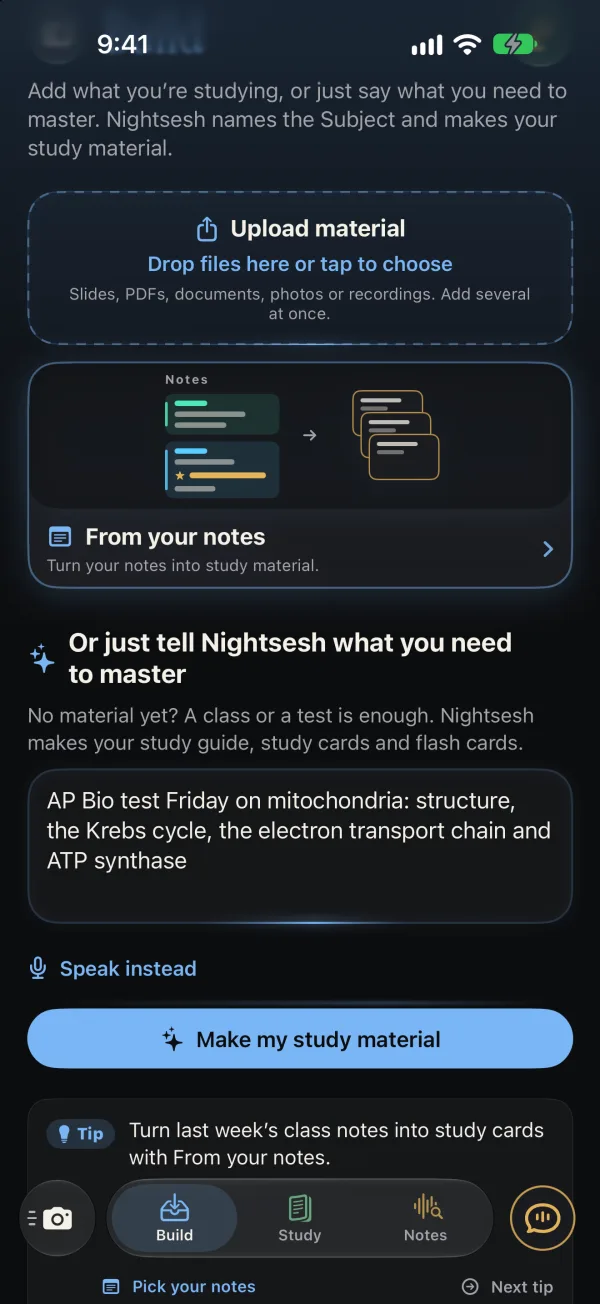
Snap a page of notes, add slides or a PDF, or just type what’s on the test. Nightsesh writes the flash cards, checks each one against your material, and brings back the ones you miss.
How it works
Three steps. Then study.
-
Snap it, add it, or say it.
A photo of your notes or the board, slides, a PDF, a class recording. Or one sentence about what’s on the test.
-
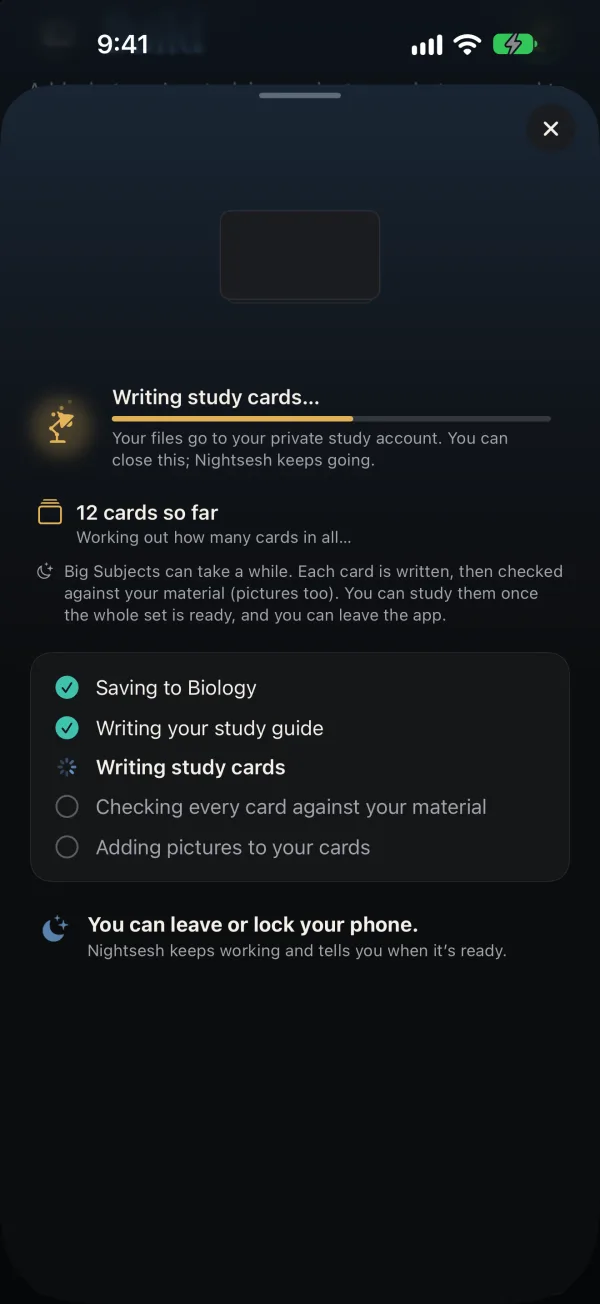
It writes. Then it checks.
Every card is checked against your material, pictures too. Leave or lock your phone; it tells you when it’s ready.
-
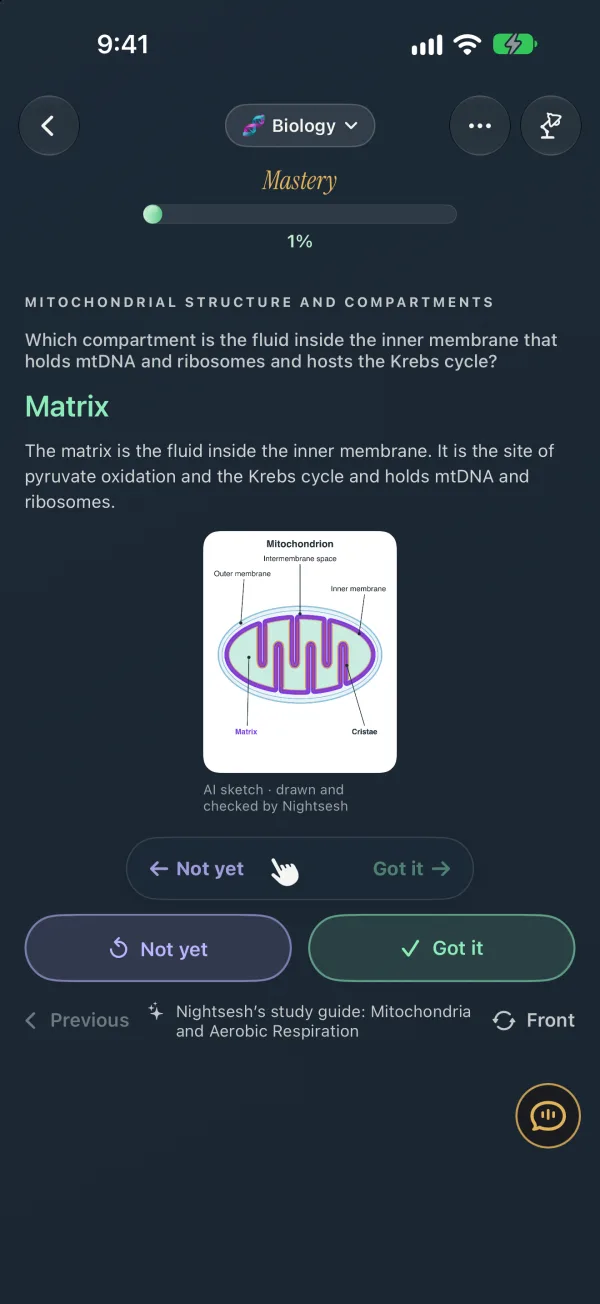
Flip. Swipe. Got it.
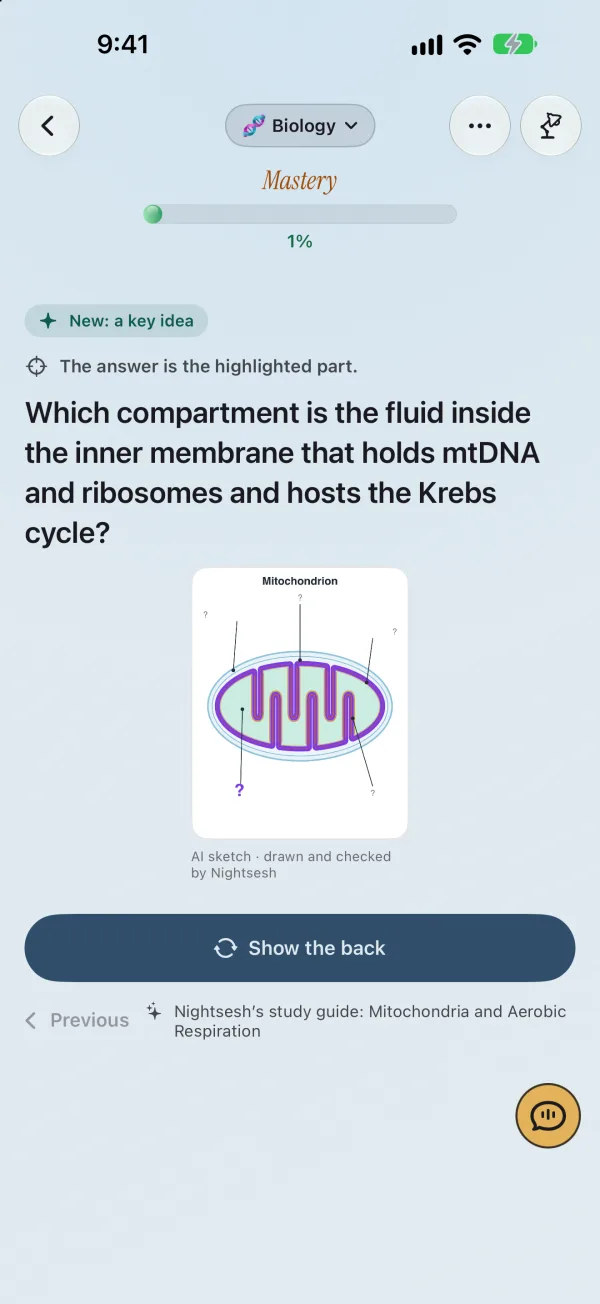
Right for Got it, left for Not yet. The shaky ones come back sooner.
Better than a random deck.
A deck someone else made covers their class. Yours should cover yours.
From your class
Written from your own notes, slides and recordings, in the words your teacher used.
Checked before you see them
Every card is checked against your material. Each one shows where it came from.
Sketches drawn for you
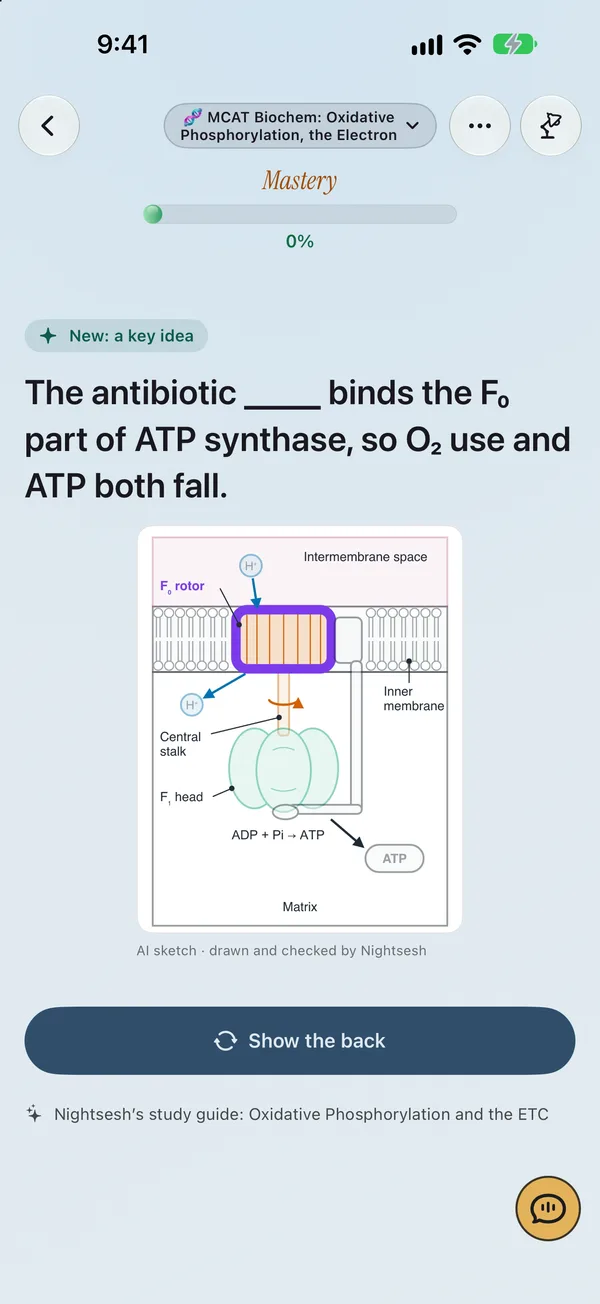
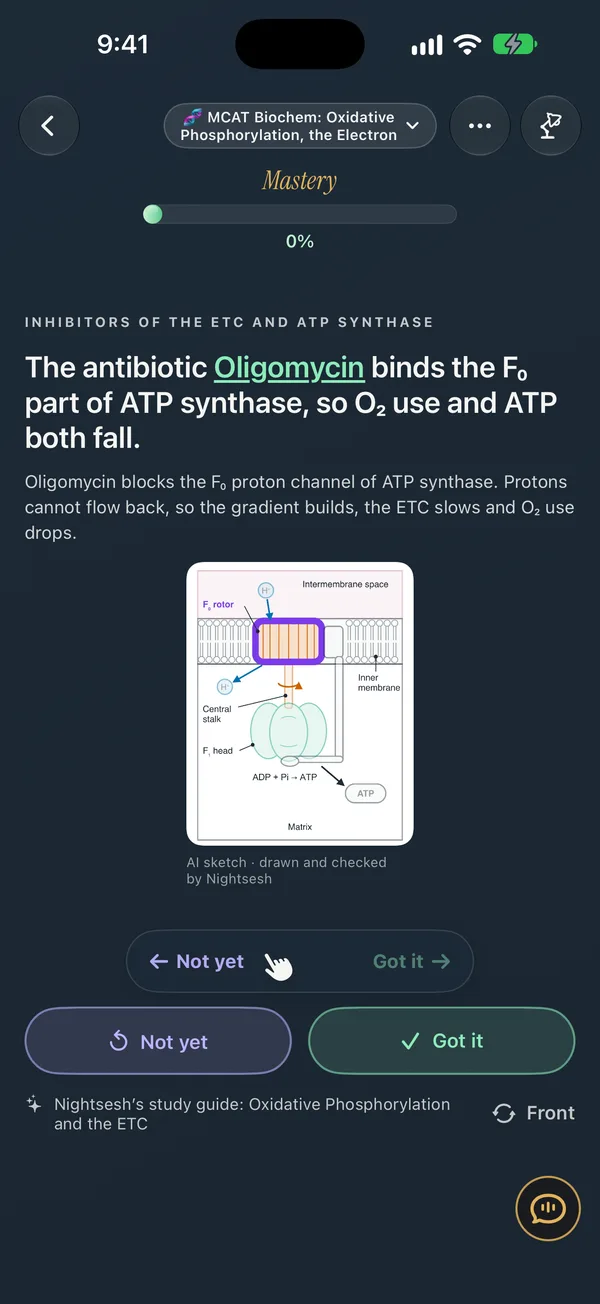
The nephron, the Krebs cycle, a sarcomere: drawn for your class, every label checked.
Spaced repetition, built in
Swipe Got it or Not yet. Each card comes back when it’s due; the ones you miss, sooner.
A quiz maker too
Multiple choice, match, build the order, the missing piece. Miss one and you see why.
Missing something? Say so.
Tap Add cards and say what’s missing: “all 40 words on my Friday quiz.” It plans them, writes them and checks them.
Flip, then swipe. Light or Night.
Flash cards get a mode of their own, and they show up in your study feed too. Studying them is always free.
Questions
Can I make flashcards from a photo of my notes?
Yes. Tap Snap a photo in Build, or add a photo you already took: handwritten notes, the board, a textbook page. Nightsesh reads it and writes flash cards and study cards from it.
What else can I make flashcards from?
Slides, PDFs, documents, PowerPoint, videos, a class recording, your Nightsesh notes, or just one sentence about what’s on your test, like “AP Bio test Friday on mitochondria.” Add several at once.
Does Nightsesh use spaced repetition?
Yes. Every Got it or Not yet changes when that card comes back. The ones you miss come back sooner, and your study feed shows what’s due tonight.
Are AI flashcards accurate?
AI can make mistakes. Nightsesh checks each card against your material before you see it, and draws its sketches with every label checked. Still check anything that looks off against your notes.
Can it make quizzes too?
Yes. Besides flash cards it writes multiple choice, match, build the order, myth or fact and the missing piece, all from your own material. Miss one and you see why.
Is it free?
Studying your flash cards is always free. Making cards from your material uses AI; right now the free beta covers about 70 classes turned into notes and study cards. Plans come with the App Store launch.
Is Nightsesh on Android or the web?
Not yet. The iPhone and iPad app is ready now in the free beta, and Mac is coming soon.
Up late? Same.
It’s time to lock in.
- iPhoneReady now
- iPadReady now
- MacComing soon
See everything Nightsesh does on the home page.
The screens show the real iPhone app with sample classes. AI can make mistakes. Check cards, notes and explanations against your class and your material. Making cards and notes needs an internet connection and available allowance. Studying cards you already have is always free.